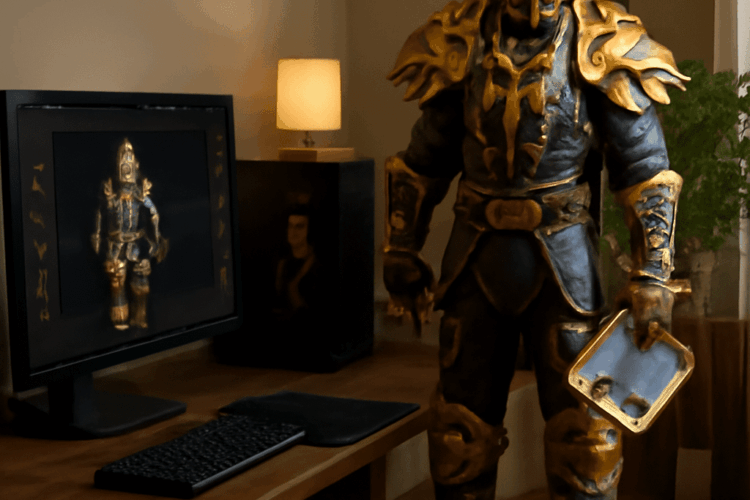
See how a helmet, shoulders, and weapon look together before you spend time collecting them. A website for WoW transmog lets you experiment with a character model and share an idea; the game’s own dressing room lets you compare looks on your actual character.
For a quick visual check, use a WoW outfit viewer in your browser. To see whether your character can actually wear a look, follow up in the retail game’s collection and transmogrification interface. The resources below were checked on November 8, 2026; their interfaces and game data can change.
WoW transmog viewer: compare your options
| Tool | Best for | What it saves or shows |
|---|---|---|
| Wowhead Dressing Room | Building and sharing an outfit in a browser | A customizable character model and selected gear; the tool offers outfit saving and links. |
| Wowhead Transmog Set Database | Finding matching items and their sources | Set thumbnails, class filters, recolors, and source information. |
| Retail WoW dressing room and transmog interface | Checking the look on your character and applying owned appearances | In-game preview and outfit slots; applying a style has an in-game gold cost. |
| WoW Model Viewer | Inspecting models and animations on a Windows PC | A local viewer of installed game data, with screenshots and model export. |
A wow transmog website is especially handy when a friend wants to inspect your idea without entering the game. The viewer for WoW transmog provides a design sketch: it does not add the items to your collection or pay the in-game cost to apply them.
Build an outfit in a browser
Start with the Wowhead Dressing Room. Choose a character model and customize its appearance, then select equipment appearances for the relevant slots. The tool’s model makes it easier to spot a shoulder that clips through a hairstyle or a weapon that overwhelms a smaller character.
For a worked example, imagine a human paladin in retail WoW looking for a coordinated plate outfit. Search Wowhead for Judgment Helm, a paladin plate headpiece. Open its item page, preview the model, and try adding it to the Dressing Room, then compare shoulders with a similar color. Add a weapon last: rotate the model and look at it from the front and back to see whether its shape fits the silhouette. Change one slot at a time so you can tell which item improved the look.
Use the set database, a site for WoW transmog, to browse class-filtered sets and lookalikes. On a set page, Show Sources lists the items and their origins. Recolors can give you the same shape in a different tint; a lookalike can offer a similar appearance through different items. Record the exact item and source for each slot you want to collect.
A second wow transmog website feature is the ability to save or share the design. Keep the outfit link from WoW’s transmog website or saved set alongside your item list so you can return to the same combination. Saving a browser design records the idea; it does not transfer the outfit into your account’s wardrobe.
Check the character, edition, and collection
The wow transmog site may let you preview a combination that your current character cannot apply. Plate, for example, must be usable by the character; a class-specific appearance can have an additional restriction. Before farming, use a website for WoW transmog to check each item’s armor type, class, level, and source.
For a retail character, select retail data on the site for WoW transmog. Classic versions have different available items and systems, and Classic Era does not have retail’s transmog wardrobe. A model can still be useful for visual planning in a Classic client, but a preview does not create a retail-style appearance unlock there. Select the relevant game version in any tool that offers that choice.
A WoW transmog viewer cannot determine ownership merely from a picture. In game, open your Appearances collection and inspect the slots you intend to use. If a look is missing, return to its source information and check the conditions for obtaining it. Also confirm that the weapon appearance works with the type of weapon your character uses.
The retail viewer for WoW transmog can preview and save outfit ideas, including appearances you have not learned. The transmog interface is where you work with appearances available to your character. Blizzard’s Midnight outfit system saves a style to an outfit slot, so replacing gear in that slot can retain the chosen look; updating an outfit to a specific style costs gold.
When a local model viewer helps
WoW Model Viewer is a free fan-made Windows program, not a browser page. Its project documentation says it reads a World of Warcraft installation, supports retail and Classic clients, and can display customized characters, equipment, and animations. It can save a screenshot and export models. Retail Armory character import is supported; the project documents that this import is retail-only.
Choose the local tool when you want to inspect an animation or produce a reference image. For a quick item search and outfit link, a viewer for WoW transmog in your browser is simpler. Neither tool substitutes for checking the character’s unlocked appearances in game. For either method of viewing a WoW transmog, compare the result on the model you intend to play.
Before you commit, reopen the design on the website for WoW transmog, check each item’s source and restrictions, and preview the combination on your character. Save the browser link or in-game outfit idea, then apply the available appearances through the retail transmog interface after reviewing the displayed cost.