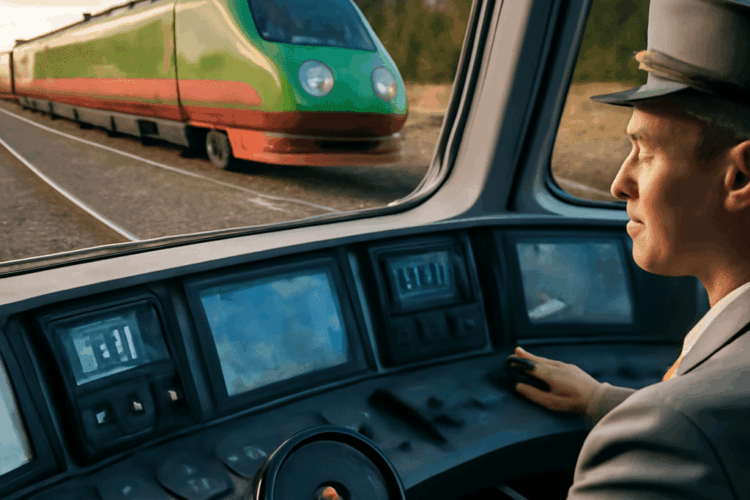
Choose the software before buying the seat. A PC car simulator such as Assetto Corsa or Assetto Corsa Competizione suits a wheel, pedals, and a low, stable driving position. Train Sim World or SimRail needs less aggressive bracing but benefits from an upright seat, a wider view, and controls that remain within easy reach.
For one setup that covers both, use an adjustable simulator chair with firm lumbar support, a fixed wheel-and-pedal position, and enough floor space to change from a forward racing posture to a relaxed train-cab position. The best choice depends on whether you value realistic vehicle handling, open exploration, structured events, or detailed route operation.
Choosing a PC car simulator: Assetto Corsa, ACC, and BeamNG.drive
Assetto Corsa is the flexible starting point. It offers convincing physics, a broad selection of road and race cars, and extensive community-created tracks and modifications. Its strength is variety: you can practise a circuit, drive a road car, or explore free-drive content without committing to a formal championship. It is a good fit for a wheel owner who wants to experiment.
Assetto Corsa Competizione is narrower but more focused. It is built around GT racing, with detailed tyre behaviour, pit strategy, weather, time-of-day changes, and structured race weekends. Its realism is strongest when you are learning braking points, managing tyre grip, and completing qualifying and race sessions. It is less suitable if you want hundreds of unrelated vehicles or casual open-world driving.
BeamNG.drive prioritises physical interaction and vehicle damage. Soft-body deformation makes crashes, suspension movement, and weight transfer unusually visible, while its maps support free driving, testing, delivery tasks, and scenarios. It provides less traditional career progression than a dedicated racing title, but it is excellent for drivers who want to understand how cars respond when pushed beyond their limits.
Choose Assetto Corsa for mod variety and free driving, ACC for organised competitive racing, and BeamNG.drive for experimentation and vehicle behaviour. All three benefit from pedals and a force-feedback wheel, but none requires a full racing cockpit to be enjoyable.
Comparing the best PC car games: Forza Horizon 5, Dirt Rally 2.0, and iRacing
Forza Horizon 5 is the most approachable option in this group. Its open-world map, large vehicle roster, upgrades, collectibles, and festival-based progression make it easy to switch between relaxed cruising and short events. The handling is less demanding than a dedicated simulation, so it works well with a controller and remains entertaining with a wheel. Choose it for variety and exploration rather than strict race procedure.
Dirt Rally 2.0 delivers a specialised rally experience. Stages are structured rather than open-ended, and pace notes, surface changes, weather, repair limits, and vehicle control determine success. Its progression comes through rally championships and vehicle development. A wheel, pedals, and a stable seat make the rapid steering corrections easier, but the game is still playable with a controller if you want a lower-cost entry.
iRacing is designed around organised online competition. Its appeal lies in licensed cars and tracks, scheduled sessions, ranking, safety standards, and racecraft rather than free-roam content. It demands more time and concentration than Forza Horizon 5, but it gives structured events a clear purpose. Select it when competitive multiplayer is central to the setup, not when you mainly want casual driving.
These three cover distinct uses: Forza for open-world progression, Dirt Rally 2.0 for intense stage driving, and iRacing for formal online racing. A chair that stays still under braking matters most in Dirt Rally 2.0 and iRacing; Forza is more forgiving of a simpler arrangement.
Train driving games and their control style: Train Sim World, Derail Valley, and SimRail
Train Sim World is the broadest starting point for route-based play. Its scenarios place you on detailed railway routes with scheduled services, passenger or freight duties, station stops, and safety procedures. You follow signals, speed limits, timetable expectations, and cab controls, while route learning becomes part of the progression. It suits players who want guided operations and recognisable railway environments.
Derail Valley is more physical and game-like. You couple wagons, select routes, handle freight jobs, manage a locomotive from the cab, and deal with the consequences of poor speed or braking decisions. Its open-ended job system offers more freedom than a fixed timetable, while the first-person perspective makes reaching controls and checking instruments feel active. It is a strong choice for exploratory freight play.
SimRail focuses on railway procedure and dispatching detail. Its routes, signalling, train operations, and multiplayer systems create a more serious timetable experience. You spend more time reading signals, managing speed, stopping accurately, and responding to the line ahead than chasing conventional game objectives.
Train driving games usually need an upright viewing angle and easy access to keyboard, controller, or dedicated lever controls. Unlike car racing, they do not require rapid steering input. The important actions are scanning the route, reading signals, adjusting throttle and brake, and maintaining a timetable. A wide monitor or a second screen can therefore be more useful than an extreme bucket seat.
What a simulator chair needs to support
A simulator chair should keep your pelvis supported, your back reasonably upright, and your controls fixed relative to your body. For car play, set the seat so your knees remain slightly bent when the pedals are fully pressed. Your elbows should stay relaxed with the wheel near chest height, rather than forcing your shoulders forward.
Stability is essential. A chair that rolls, rocks, or flexes under braking makes precise pedal work harder and can move the wheel away from its intended position. Use a fixed frame, locking casters, or a wheel stand that braces against the floor. The chair and control mount should behave as one unit.
Adjustability matters when one setup serves several games. Prioritise seat height, backrest angle, distance from the pedals, and wheel-mount height. A sliding seat helps shorter and taller players reach the same controls without twisting their backs. For train games, an adjustable armrest or a movable keyboard tray can make throttle and brake inputs more comfortable.
Check the available space before choosing a cockpit-style chair. Measure the footprint with pedals attached, allow room to enter from the side, and confirm that the monitor remains centred when the seat is moved. A compact folding wheel stand paired with a supportive chair is often more practical than a permanent racing frame in a shared room.
Match the setup to car, train, or mixed simulator play
- Car-focused: choose Assetto Corsa for flexible free driving, ACC for GT racing, BeamNG.drive for vehicle experimentation, Dirt Rally 2.0 for rally stages, or iRacing for organised competition. Use a stable seat, force-feedback wheel, three-pedal set, and a firm pedal position.
- Train-focused: choose Train Sim World for guided route operations, Derail Valley for hands-on freight jobs, or SimRail for signalling and timetable depth. Use an upright adjustable seat, a wide or elevated display, and controls positioned like a cab desk.
- Mixed use: choose Assetto Corsa or Forza Horizon 5 for accessible car sessions alongside Train Sim World. Use a seat with a sliding base and adjustable backrest, a removable or fold-away wheel mount, and enough desk access for keyboard and train controls.
Position the monitor at eye level and centre it with the seat, then save the seat and wheel settings once the reach feels natural. If your primary activity is braking and steering, prioritise rigidity. If it is route scanning and cab management, prioritise posture, visibility, and control access.