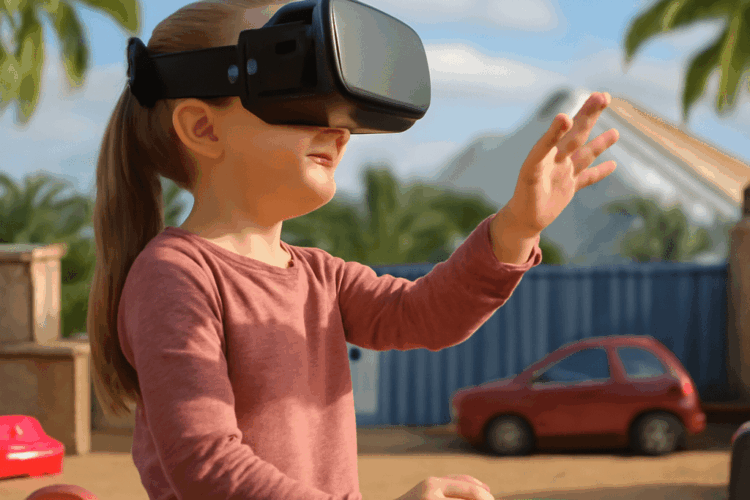
Free VR games for mobile offer an immersive way to experience virtual reality using your smartphone and a compatible headset. With just your device and often a simple viewer like Google Cardboard, you can step into new worlds, play interactive adventures, or enjoy relaxing environments—without spending a cent. Whether you have an Android or iOS device, there are plenty of exciting free VR games that make the most out of the portable hardware you already own. Below, we’ll cover what these games are, recommend the best free VR games for mobile, explain how to get started, and offer tips to enhance your mobile VR gaming experience.
What are free VR games and how do they work on mobile?
Free VR games are virtual reality experiences that do not require any purchase to download or play. On mobile devices, these games use your phone’s display, motion sensors, and sometimes the camera to immerse you in a 3D environment. Typically, you’ll need a VR headset that fits your phone, such as Google Cardboard, Samsung Gear VR, or any universal mobile VR viewer. Some games also support handheld controllers or rely entirely on head movement and tapping the headset’s button for control.
These games are designed to run efficiently on standard smartphones, making them accessible to a wide audience. Mobile VR games can range from simple puzzle experiences to action-packed adventures and 360-degree exploration titles. The only requirements are a compatible smartphone, a VR headset (even an inexpensive one), and the free VR game app from the app store. While free, some games offer in-app purchases or ads, but many provide a full and enjoyable experience without needing to spend anything.
Mobile VR technology has become more accessible in recent years, allowing developers to create engaging 3D environments that respond to how you move your head or interact with virtual objects. Although the graphics and depth of gameplay may be less advanced than on high-end PC VR systems, free VR games on mobile are a great way to try out virtual reality and find out what you enjoy before considering more expensive options.
For those new to virtual reality, mobile VR is the perfect entry point. It delivers a taste of full immersion, introducing you to the world of VR gaming without a steep learning curve or costly investment.
Top free VR games available for mobile devices
There’s an impressive selection of free VR games for mobile across both Android and iOS platforms. Here is a curated list of standout titles that provide high-quality experiences at no cost:
- VR Roller Coaster (Android/iOS): One of the most popular free VR experiences, this game puts you in the front seat of a thrilling roller coaster ride. With realistic 3D visuals and a variety of tracks, it’s a favorite for showing off VR to friends and family.
- InCell VR (Android/iOS): A unique blend of racing and strategy set inside the human body, InCell VR lets you navigate through vibrant biological environments while dodging obstacles. It’s educational and visually striking.
- VR Noir (Android/iOS): This interactive story-driven game places you in the shoes of a detective. With voice-acted dialogues and decision-based gameplay, VR Noir offers a glimpse of what immersive storytelling can be in VR.
- Within (Android/iOS): While not a traditional game, Within hosts a collection of high-quality, interactive 360-degree videos and short VR experiences. It’s perfect for exploring the creative side of VR media on your phone.
- VR Space (Android): Explore the universe in this space-themed virtual reality simulation. Fly through the cosmos, visit planets, and learn about the solar system—all in a free-to-play format.
- House of Terror: VR Adventure (Android/iOS): For those who enjoy horror, this game lets you wander through a haunted mansion, solving puzzles and avoiding terrifying creatures. It’s a great example of VR’s ability to create tension and atmosphere.
- Zombie Shooter VR (Android/iOS): Dive into a post-apocalyptic world where you fight off waves of zombies. Simple controls and engaging gameplay make it accessible for all ages.
These titles showcase the range of experiences available in the free VR games category, from action and adventure to learning and relaxation. Many of these games also receive regular updates, so you can expect new content and improvements over time.
When searching for new games, check Google Play or the App Store with terms like “free VR games” and read user reviews for the latest recommendations. Many developers are actively releasing fresh content, keeping the mobile VR ecosystem lively and growing.
Some games, like InMind VR and Sisters, are exclusive to one platform or have enhanced versions for specific headsets, so always check device compatibility before downloading.
How to download and set up free VR games on your phone
Getting started with free VR games on your mobile device is straightforward. Follow these steps to begin playing:
- Choose and prepare your VR headset: Select a compatible mobile VR viewer, such as Google Cardboard, a generic headset, or a device-specific model. Make sure your phone fits securely in the headset and that the lenses are clean.
- Find your game in the app store: Open Google Play (for Android) or the App Store (for iOS), and search for the free VR game you want to try. You can use keywords like “VR roller coaster,” “free VR games,” or the specific game title.
- Install the game: Download and install the app. Be sure to check storage space and grant any necessary permissions, such as access to motion sensors or the camera.
- Launch the game and configure settings: Open the app and select VR mode if prompted. Some games allow you to adjust visual quality, gyroscope calibration, or control preferences for better performance.
- Insert your phone into the headset: Secure your phone in the viewer according to the headset’s instructions. Make sure the screen aligns with the lenses for a clear image.
- Start playing: Use head movements to navigate menus or aim, and tap the headset’s magnetic button or a compatible Bluetooth controller to interact as required by the game.
For the best results, close background apps and set your screen brightness to a comfortable level before starting. If you experience motion sickness, take breaks and adjust the headset fit as needed.
Some games support additional controllers for more complex gameplay. If you have a Bluetooth controller, pair it with your phone before launching the game and follow in-app prompts for setup.
Always keep your device charged, as VR games can drain the battery quickly. Using a lightweight headset or one with good ventilation can also make longer sessions more comfortable.
Tips for the best mobile VR gaming experience
To maximize your enjoyment and comfort when playing free VR games on mobile, consider these practical tips:
- Optimize your viewing environment: Play in a safe, clutter-free space to avoid bumping into objects. If possible, use a swivel chair to look around more easily without twisting your neck.
- Adjust headset fit: Make sure the headset is snug but not too tight, and that the lenses are positioned correctly for your eyes. Many viewers allow you to adjust the inter-pupillary distance (IPD) for optimal clarity.
- Limit session lengths: Virtual reality can cause eye strain and motion sickness if used for extended periods. Start with short sessions and gradually increase as you become more comfortable.
- Stay aware of battery and temperature: Mobile VR can heat up your phone and drain the battery quickly. Play in a cool area and keep an eye on your device’s temperature to prevent overheating.
- Try different games and genres: Explore a variety of VR experiences to find what you enjoy most, from relaxing explorations to fast-paced shooters or educational adventures.
- Use headphones for better immersion: Many VR games include atmospheric soundtracks or directional audio cues, so wearing headphones can greatly enhance the sense of presence.
By following these strategies, you can enjoy the best free VR games on your mobile device with greater immersion, comfort, and fun. As mobile hardware continues to improve, expect even richer VR experiences in the future—without ever needing to spend a dollar.